
PNG is the image format that has the best quality. If you want to use or send an image anywhere in a format that preserves the original quality, PNG is the best choice.
However, this doesn’t mean that PNG is the best choice for every situation.
If you want a deeper dive into this topic, including understanding how the PNG format works and where you should use it and where you should avoid it, keep reading. We’ve come up with this detailed guide to provide all of those details.
A Quick Overview of All Four Formats
Let’s lay the groundwork for our discussion.
- PNG stands for Portable Network Graphics. It stands out because of its excellent quality, achieved through lossless compression and support for a wide color gamut.
- JPG stands for Joint Photographic Experts Group. It is also known by the name JPEG. It stands out because of its small file size, but doesn’t offer the same quality as PNG.
- WebP stands for...actually, Google, which created WebP, has never officially said what the name stands for. WebP stands out for its excellent quality and small size, combining the best of both worlds from PNG and JPG. However, the main limitation of WebP is that you cannot open images in this format on most devices, as the image viewers don’t support it.
- HEIC stands for High Efficiency Image Container. It is used in Apple devices, such as the iPhone and Mac, also supported by some Android phones. This format is able to retain high quality but compresses file sizes significantly.
Here is the main information provided in the form of a table.
|
Feature |
JPG |
PNG |
WebP |
HEIC |
|
Image quality |
Good |
Excellent |
Excellent |
Excellent |
|
Compression |
Lossy |
Lossless |
Both |
Usually lossy |
|
File size |
Small |
Large |
Small |
Very small |
|
Transparency |
No |
Yes |
Yes |
Supported |
|
Animation |
No |
No |
Yes |
Supported |
|
Best for |
Photos |
Graphics, logos |
Websites |
Smartphone photos |
|
Browser support |
Excellent |
Excellent |
Excellent |
Safari only |
Why Do We Say That PNG is the Format with the Best Quality?
As you might have seen in the table above, WebP and HEIC both have excellent quality, just like PNG. So why do we single out PNG as the best even though three of the four formats have good quality?
That is because of availability and support.
WebP works well on websites and online platforms, but support in desktop software is still patchy. Newer versions of Windows can open it in Photos and Paint, but older systems and some applications, Word among them, may not display it properly. For instance, you might paste a WebP image into a Word document and find only a small blank square where the picture should be.
HEIC, on the other hand, is available on Apple devices and is not universally found on all devices. This is also a limitation on availability.
PNG is the only format of these four that has good quality and is easy to share and view everywhere.
Where Are the Other Formats Better Choices Compared to PNG?
As we mentioned earlier, the other formats aren’t useless. Depending on the situation at hand, they are more suitable than PNG.
Let’s take a look at some of the situations where JPG, HEIC, and WebP are the better choices compared to PNG.
JPG is best for sharing photographs where small file size matters
Let’s say you want to send someone, like a client, a screenshot to simply show them what a particular interface looks like or to share a message. The quality isn’t the top concern here. But you do need to make sure that the image is received quickly and it opens without loading.
In this type of situation, it won’t be the best idea to use PNG. JPG will work better because of its smaller size.
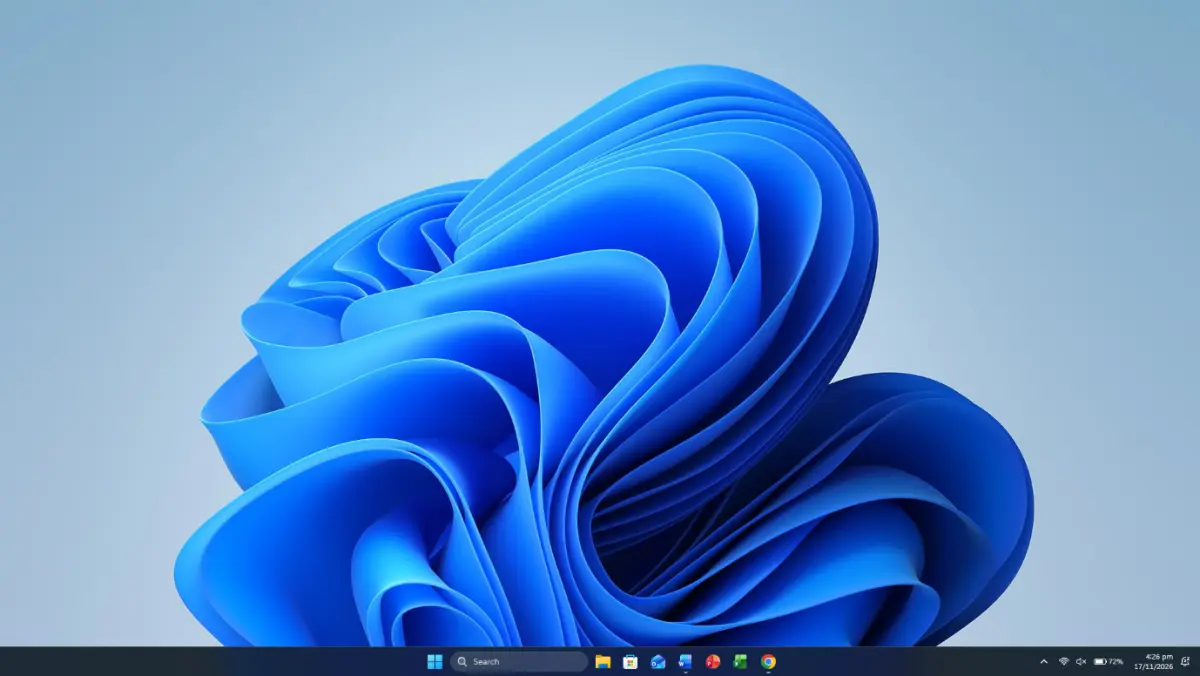
To give you an example, here are two screenshots, one in PNG and one in JPG. You can see the quality differences aren’t that much, but the size is quite different.
Since I use a Windows device, I took one screenshot using the Snipping Tool and the other using Lightshot. The former saves the file as a PNG, and the latter gives you the choice to save as a JPEG.
Here is the PNG image, which has a file size of 1.46 MB (1,460 KB)
And here is the JPEG file, which has a size of 200 KB, which is an 86.3% decrease.
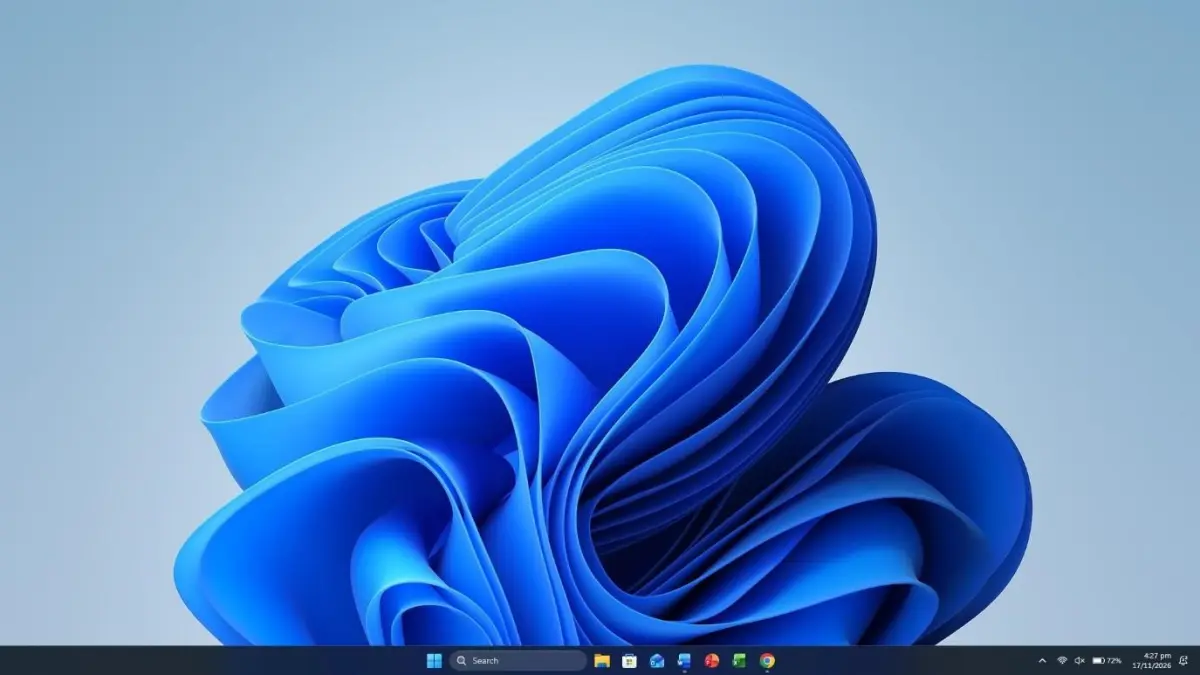
There is, of course, a notable difference in the quality, but it doesn’t matter when you’re sharing screenshots or similar images purely for illustrative or guidance purposes.
WebP is ideal for websites
In the same way, when it comes to posting images on websites, WebP is the better choice compared to PNG. Since the latter can be quite large in size, it can have an adverse effect on the speed and performance of the website.
WebP can retain quality quite well. If I take the same image that I have shared above and convert it into WebP, it shrinks from 1.46 MB to 65 KB, which is a 95.55% decrease.
HEIC is ideal for storing images on Apple devices
Of course, HEIC has a niche and specific use on Apple devices. This is the format that you use to store images on your iPhone, MacBook, etc. It is useful because it can retain the original quality of the image but compress the size so that it doesn’t take too much of the non-expandable precious storage space found on newer Apple devices.
In Conclusion
Think of the PNG format as the Range Rover among cars. It’s a good all-rounder that offers excellent quality. But there are places where you wouldn’t take a Range Rover.
On a track, you’ll take a McLaren. On a normal street, you’d use a Civic. It doesn’t mean that the Range Rover can’t drive in those places. It’s just less suited.
In the same way, PNG works everywhere. It has lossless preservation, which retains quality. It’s universally supported. But there are situations where its fellow formats like JPG, WebP, and HEIC are the better choices.
Frequently Asked Questions
Does converting JPG to PNG improve image quality?
No. Saving a JPG as PNG keeps the same blur and lost detail, because changing the format doesn't restore anything. To actually sharpen a low-quality JPG, use an AI photo enhancer, then save the result as PNG.
Is WebP better quality than PNG?
Lossless WebP matches PNG's quality, and Google says its files are about 26% smaller. PNG is more widely supported in apps and upload forms.
Is HEIC better quality than JPG?
Yes. HEIC keeps more detail than JPG at a similar file size. But Windows needs extensions to open it, and only Safari displays it in a browser.
What is the best image format for websites?
WebP. According to Google, its files are 25–34% smaller than JPGs of the same quality, so pages load faster, and every major browser supports it.
Does a JPG lose quality every time you save it?
Yes, every time you edit it and save it again as JPG. Opening, viewing, or copying a JPG doesn't lower its quality.
What is the best image format for printing photos?
PNG or TIFF, because they're lossless. If your print shop only accepts JPG, export it at the highest quality setting.